
Everything you can do with the app
142 features, grouped into seven worlds. Every screen shown here is a screenshot of the app.
22 features
On the terrain
Score the game boule by boule, shoot the five official workshops, settle a point with the camera.
-
Live game entry
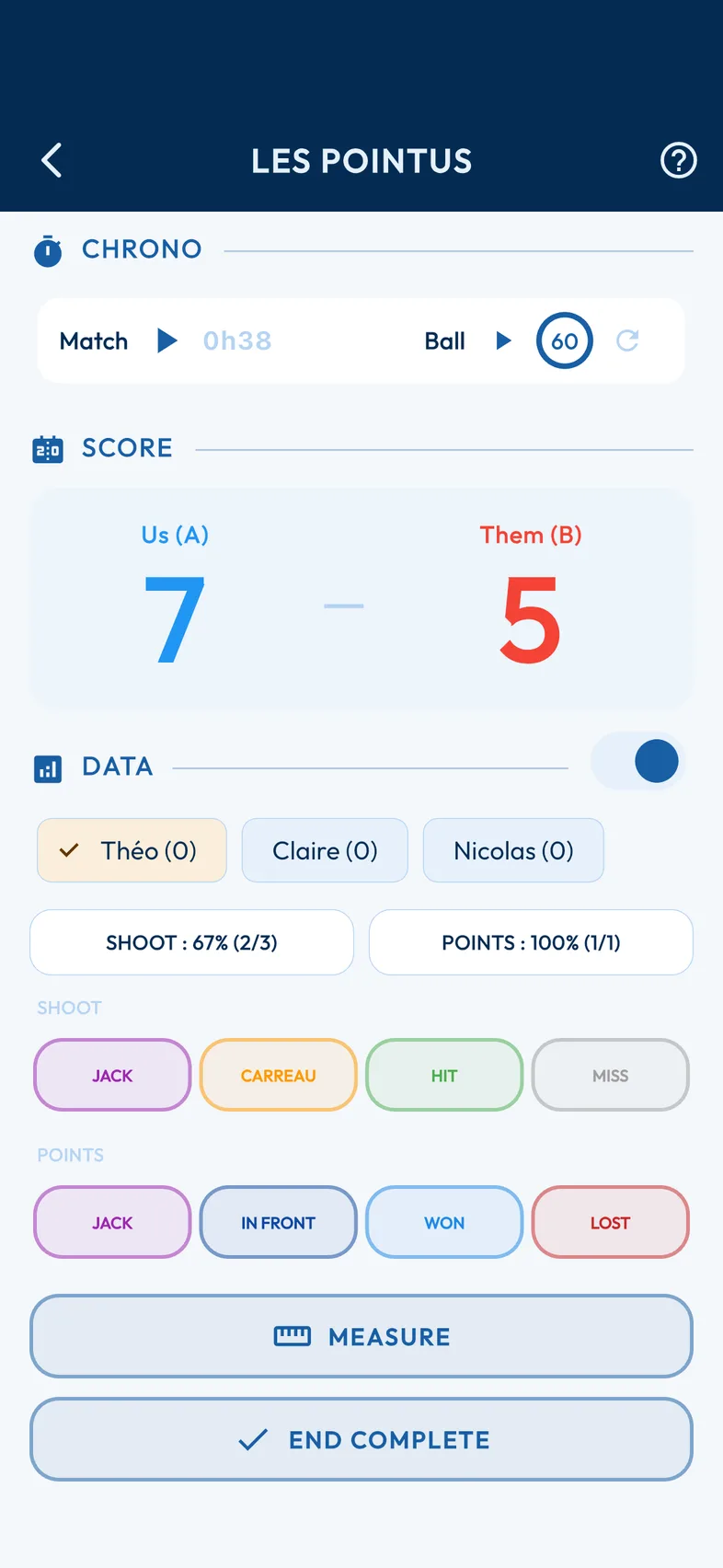
Record every boule during the game: carreau, hit or miss for the shots, with the regulation timer boule by boule.
-
Precision shooting
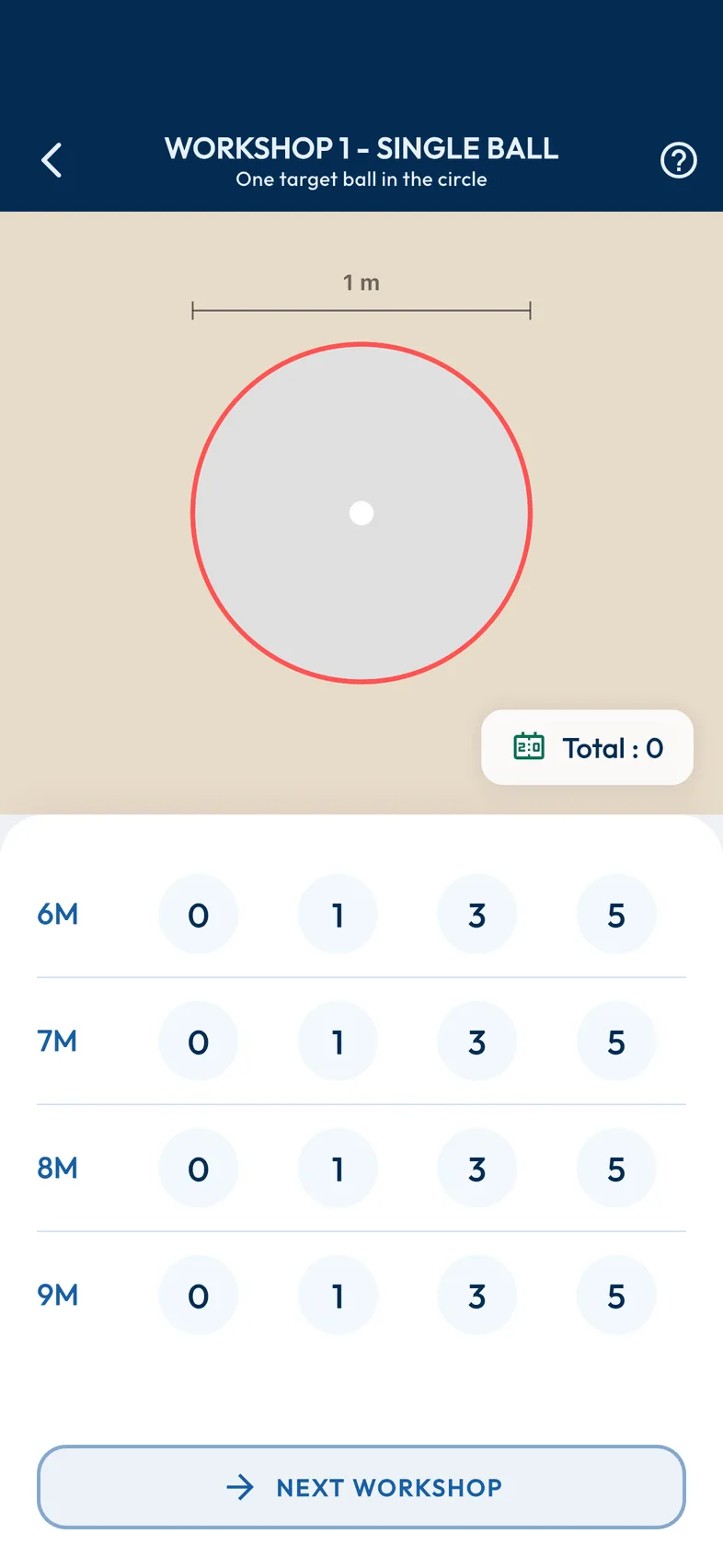
Shoot a precision session on the five official workshops: the score and the distances are tracked automatically.
-
Camera measurement
Settle a disputed point with your phone's camera: the app draws the distances and shows which boule holds the point.

See the 19 other features
-
Your games, from A to Z
Start a game on the spot, resume the one in progress or look back through your history, match sheet included.
-
The three terrain activities
A single screen for all three activities: play a game, shoot a precision session or follow a training programme.
-
Game setup
Choose the format, from singles to triples, select the teams and note the ground and the weather before starting the game.
-
FFPJP points calculator
Work out your licence points after a tournament, based on the federal scales: nationals, championships, A and B tournaments.
-
Animated toss
An animated coin toss to decide who throws the jack: impartial, and right inside the app.
-
Visual measuring aid
See straight away which boule holds the point: the screen draws the winning circle and the distance from each boule to the jack.
-
Playing conditions recorded
Note the state of the ground and the weather for every game to understand how they affect your success rate.
-
Ground and weather tracking
Ground type, wind, temperature: measure their effect on the quality of your pointing and your shooting.
-
Timed games
Play time-limited games, from 30 to 90 minutes, as required by some tournaments and championships.
-
Official rules built in
The official FIPJP rules at hand to settle a dispute on the terrain: position of the jack, validity of a shot…
-
Precision shooting diagrams and scoring
The set-up diagrams for the five workshops and the official scoring (0, 1, 3 or 5 points), available on the terrain.
-
Guided training
Work through themed workshops — pointing, shooting, tactics — with a score calculated as the session goes on and your success rate tracked.
-
The game, live
Play and follow your games in real time: teams, ground, weather and duration, end-by-end score with timer, animated toss, camera measurement and full history.
-
The five precision shooting workshops
Improve on the five official workshops: interactive diagrams, score entry by zone, progress history — and an exercise catalogue suited to your level and the time you have.
-
Step-by-step guided measurement
From the photo to the result, measuring runs through six guided steps: you always know what to do next.
-
Perspective correction
The photo does not need to be taken from directly above: the app corrects the perspective before comparing the distances.
-
Fine-tuning detection
Pale ground, dark boules, low-angled light: adjust the detection thresholds when the photo is a tricky one.
-
Match Lite
Just the score, end by end: the simplest way to score a game when you do not want to enter every boule.
-
Training or competition context
Say whether the game is training or competition: your statistics can then tell the difference.
15 features
Analyse and improve
Your figures by distance, by workshop, by ground type — and the Academy lessons to fix what they reveal.
-
All your statistics
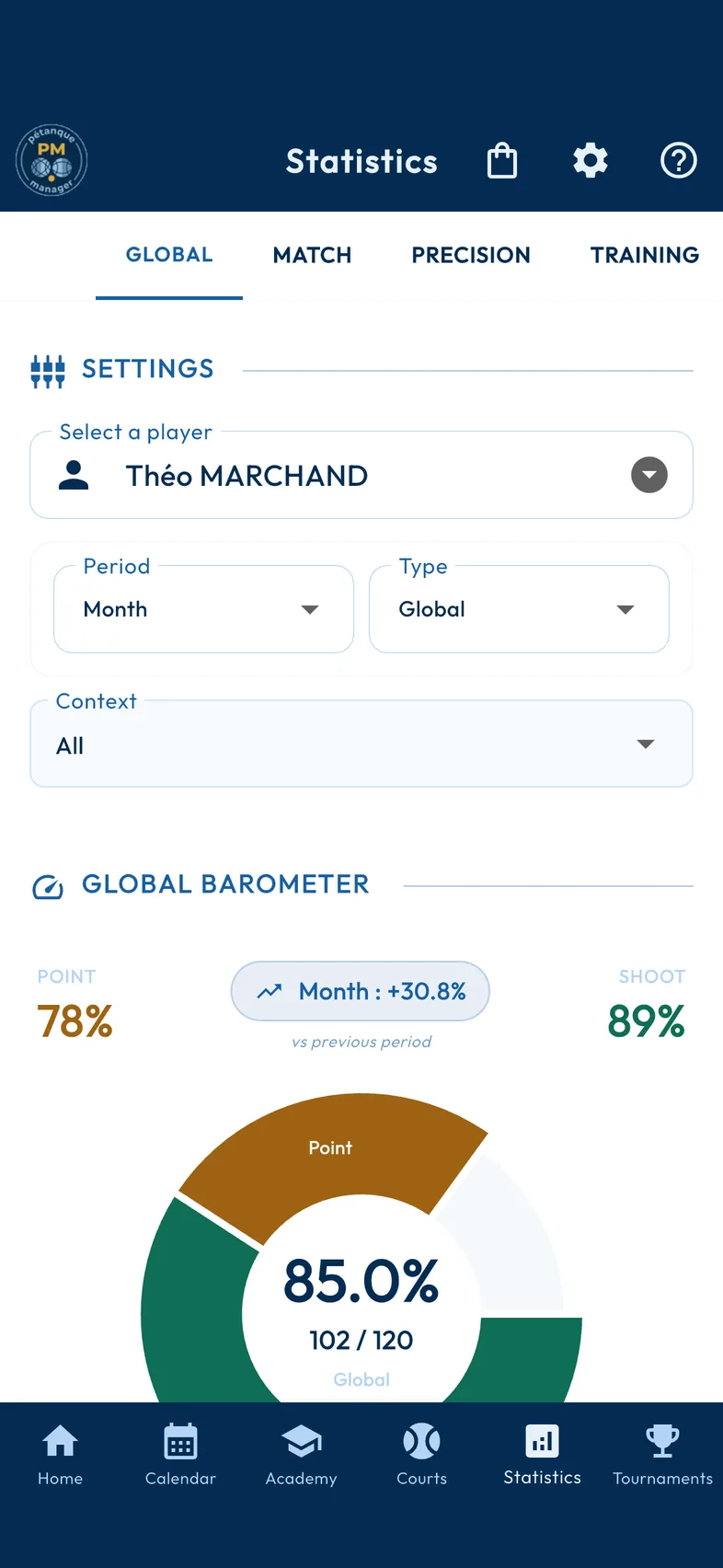
Your statistics in one place, across all game modes: spot your strengths — shooting at 8 m, for example — and your areas for improvement, backed by charts.
-
Shooting diagnostic grid
Your hits and misses on a colour grid that crosses the five official workshops with the four regulation distances.
-
Multimedia Academy
Structured lessons combining video, audio and text, to work on technique and learn the official rules.


See the 12 other features
-
Equipment tracking
Record the specifications of each of your sets of boules: brand, model, weight and diameter.
-
Quiz validation
A quiz rounds off every lesson. The lesson is passed at 70%: on the quiz alone, or combined with the practical workshops when the lesson includes some.
-
Shooting strengths and weaknesses
Your strengths and weaknesses by workshop and by distance, to guide your next training sessions.
-
Precision shooting statistics
Your shooting results, workshop by workshop and distance by distance, to spot what to work on first.
-
Form barometer
A trend index compares your recent performance with your usual averages: you know whether you are improving or marking time.
-
Effect of ground and weather
Measure, backed by charts, how the wind or the ground type affects your game.
-
Effectiveness by distance
Pinpoint, to the nearest metre, the distance at which you shoot best, and adapt your play during the game.
-
Training tracking
Measure the effect of your training theme by theme and follow how your success rate evolves.
-
Academy catalogue
A lesson catalogue organised into chapters, sections and lessons, each with its sheet, its quiz, its practical workshops and your progress tracked.
-
Player statistics
Your performance from every angle: form barometer, results in games (shooting, pointing, trend), precision shooting on the five workshops and training attendance, by player and by period.
-
Progress and module validation
Follow your progress lesson by lesson: a module is validated once its lessons are, and the catalogue keeps track of what is left to learn.
-
Shooting and pointing workshops
Shooting and pointing exercise modules, each with its technical explanation, audio tip, diagram and video.
29 features
Tournaments and calendar
From registrations to the final ranking, with the season calendar, the tournament poster and the team budget.
-
Complete tournament management
A tournament from start to finish: registrations, automatic draws (melee, rotating melee, pools then A, B and C tournaments, direct or double elimination, Swiss system, round robin, precision shooting), score entry, live ranking, closing and PDF export.
-
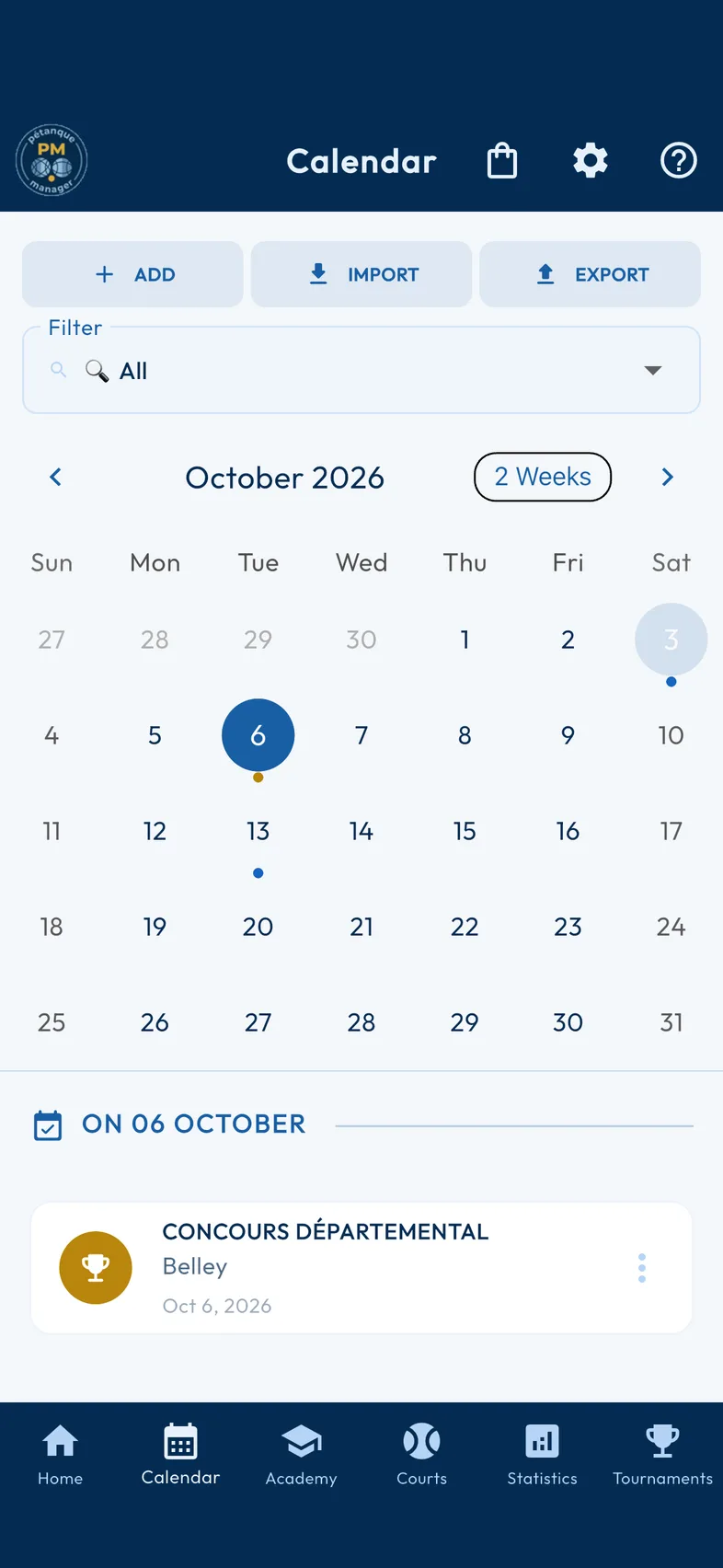
Season calendar
Tournaments, training sessions, games, precision shooting, expenses: all your dates in a month or week view, with repeats for regular events.
-
Poster Designer
Create your tournament poster: pick a style from the catalogue, drag the text with your finger, change the font, then export as a high-resolution PNG or share directly.


See the 26 other features
-
Budget folders
Open a folder per tournament or per season to track your winnings and your expenses.
-
Recurring budgets
Plan a whole series of budgets in one go for your weekly training sessions or your championship season.
-
Closing and archiving
Close a folder: its balance is frozen, and you can share it with your partners.
-
Events linked to a tournament
Link your training sessions, games and expenses to the tournament they prepare for: the app checks that the dates are consistent and renames the whole set.
-
Team budget and expense sharing
Open a folder for a tournament, record everyone's expenses and winnings, then close it: the balance shows who owes whom.
-
Tournament Hub
Browse national and departmental tournaments, filter by department, type or team format, and add them to your calendar in one tap.
-
Publishing your tournaments
Publish your local tournaments on the Hub to enrich the shared database, one at a time or in bulk, with upload tracking.
-
One screen per tournament formula
Every formula has its own screen: melee, rotating melee, pools then A and B tournaments, direct elimination, precision shooting — with score entry, live ranking, PDF, and tracking of registrations and payments.
-
Recurring events
Tuesday training, Sunday championship: enter the event once and the calendar repeats it over the period you choose.
-
Match sheets and rankings as PDF
Print or share the tournament's match sheets and rankings, in the same layout whatever the formula.
-
Tournament import and export
Export a tournament to a file and re-import it on another device, to prepare it at home and run it at the boulodrome.
-
Court management
Declare the available courts: games are allocated to them round after round.
-
Live results tracking
Broadcast the tournament's progress on a public web page: players and spectators follow the results from their phones.
-
Swiss system
In each round, teams meet an opponent with the same number of wins: everyone plays right to the end.
-
Double elimination
One defeat is not enough to go out: the losers' bracket offers a second chance all the way to the final.
-
Round robin
Every team plays all the others: the fairest formula for small fields.
-
Financial summary
Winnings, expenses and balance for each folder, player by player: the season's summary on one screen.
-
Combinable filters in the tournament catalogue
Doubles or triples, playing category, formula: combine the filters to find the tournaments that suit you.
-
Poster template catalogue
Retro, festive, minimalist, modern, night-time, summery: start from a template and adapt it to your tournament.
-
AI posters for the club
The club committee has a code that unlocks AI posters, with a balance shared across the club.
-
AI-generated poster background
Use artificial intelligence to generate an original background image for your poster, without hunting for a picture online.
-
What the AI poster says about the tournament
The poster reflects the tournament as you entered it: date and time, venue and address, format and formula, entry fee, meal, contact, number of games and courts, registration and club website.
-
Complete poster drawn by AI
Describe your tournament: artificial intelligence draws the whole poster, text and artwork included, ready to share.
-
Club directory
Every pétanque club in France, even offline: ground, club contact and directions. A tournament's venue fills in with one tap, and anyone can suggest a correction or a missing club, checked before publication.
-
Export to the phone's calendar
Send your events to your phone's calendar, or share them in .ics format, which every calendar can read.
-
Import your teams from a spreadsheet
Build your teams in your spreadsheet and import them in one go with their players: the app finds the existing records, offers to create the others and shows a summary before writing anything.
32 features
Club coaching
Pick the line-up for a match, follow it live, debrief, set assignments: the coach's tool.
-
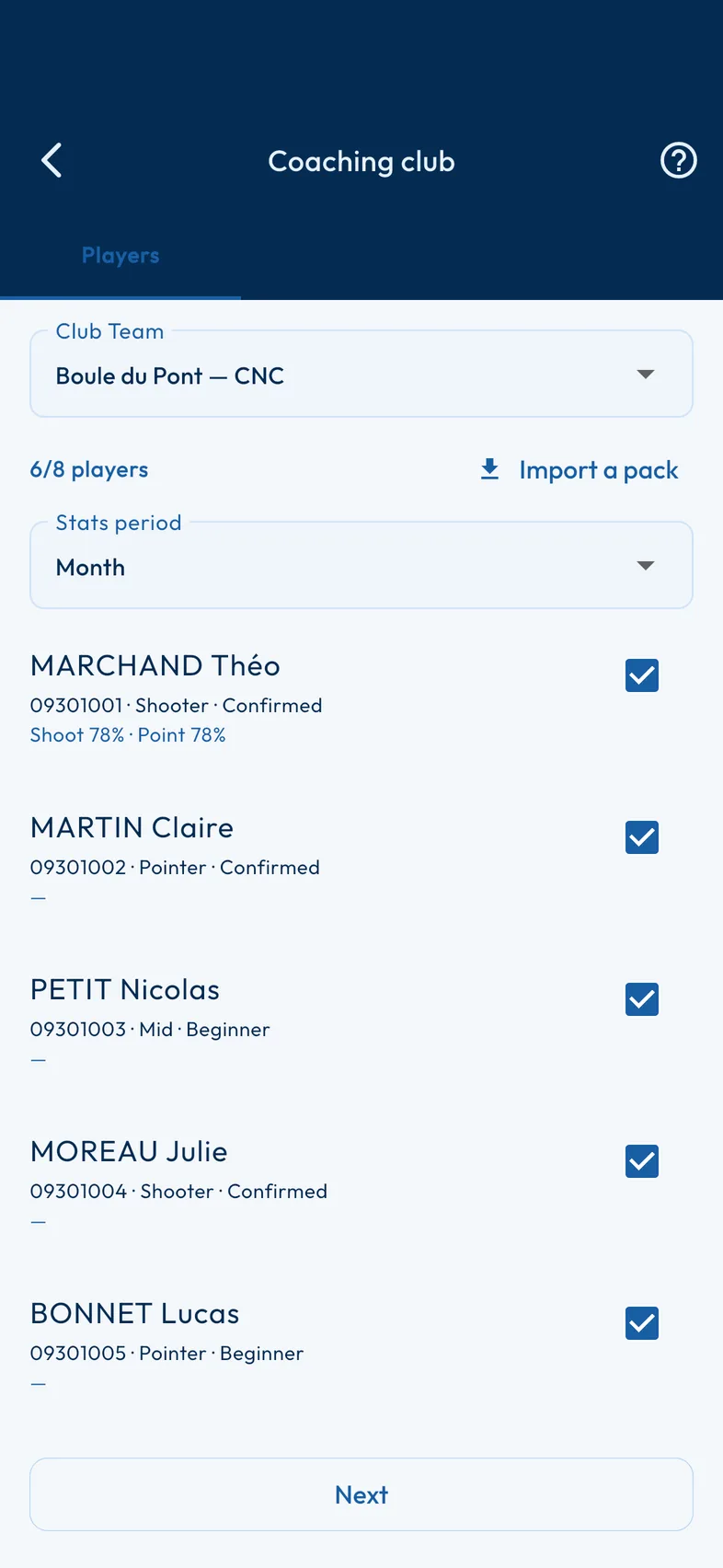
Match line-up
Pick the line-up for a club match across its eleven games — singles, doubles, triples — from a single screen.
-
Live tracking of a match
The coach follows the score of every game in a club match live, phase by phase, on a full-screen mosaic.
-
Five-axis skills radar
A five-axis radar — wins, consistency, shooting, pointing, affinities — to see each player's profile at a glance.


See the 29 other features
-
Player radar from the debrief
From the detail of one game to the player's profile in one tap: the coach moves from what has just been played to overall form without leaving the debrief.
-
Mental report in the history
The match history carries the mental report for each match — fighting spirit, cohesion, level — so you can find at a glance the ones that shaped the team, and those still to be debriefed.
-
Completing an assignment and sending proof
The player does the prescribed exercise and sends the result back to the coach, straight from the app.
-
An assignment counts as a session
A completed assignment joins the player's training history: the work set by the coach also feeds their statistics.
-
End-by-end score entry
During the match, enter the score of each game end by end, carreaux and jack hits included.
-
Closing the match and CNC points
On closing, the app calculates the match points according to the club championship scale.
-
Match history
All the club's matches, sorted by month, with their result and their game-by-game detail.
-
Proof tracking for the coach
The coach receives the results sent back by the players and sees at a glance who has done their assignment.
-
Pack update request
The coach asks the players for an up-to-date data pack, without having to chase them one by one.
-
Archiving imported packs
Archive the packs you no longer need: the coach's dashboard keeps only the players being followed.
-
Joining and leaving a session
The player joins the coach's session with a simple code, and leaves whenever they like.
-
Session players and their progress
The list of players in the session, with each one's progress on the prescribed assignments.
-
Club matches in the player's history
Games played in a club match join each player's history and statistics.
-
Record against an opposing club
Check your club's record — wins, losses, draws — against every club it has played.
-
The player chooses what to share
The player chooses exactly what goes to the coach in the data pack: nothing leaves without their consent.
-
Line-up recommendation
Six singles, three doubles and two triples recommended from individual records, pair affinities and positions, each choice explained, with the option of playing the whole roster.
-
Debrief and mental report
Debrief each match court by court and keep a record of how the players felt mentally, beyond the score alone.
-
Assignments received by the player
The player finds in the app the assignments set by the coach, with the detail of what is expected.
-
Team form forecast
The team's strengths and weaknesses at a glance, with alerts on the gaps between players to keep an eye on.
-
Data pack export (player)
The player exports a pack of their games and statistics for the chosen period, to pass it on to the coach without a permanent connection.
-
Data pack import (coach)
The coach imports the packs sent by the players and finds their games and statistics in their own dashboard.
-
Setting assignments and scoring scale
The coach sets targeted exercises for the players, with a success scale: everyone knows exactly what to work on.
-
Live substitution
Long-press a game to change a player, with substitutes ranked by the recommendation; allowed mid-game in doubles and triples, as the rules provide.
-
Club matches
Organise your club's matches against other clubs: creation, list and tracking, without juggling several tools.
-
Squad statistics at line-up time
The squad's statistics, module by module, to spot at a glance the games where the team has most room to improve.
-
Coach session and code sharing
The coach opens a session and shares a code: the players join in an instant, with no account to create and no setup.
-
Team dashboard
A dashboard per player — win rate, accuracy, weak points — to steer the team at a glance.
-
Performance by ground type
Compare the team's performance by ground type — hard-packed, gravel, sand — to prepare for the next matches.
-
Detailed boule entry in a match
Record, end by end, the detail of the boules played and the distance to the jack to sharpen the analysis of a club match.
7 features
Video library
More than 13,000 pétanque videos since 2014, categorised and filterable, plus the live streams in progress.
-
Pétanque video library
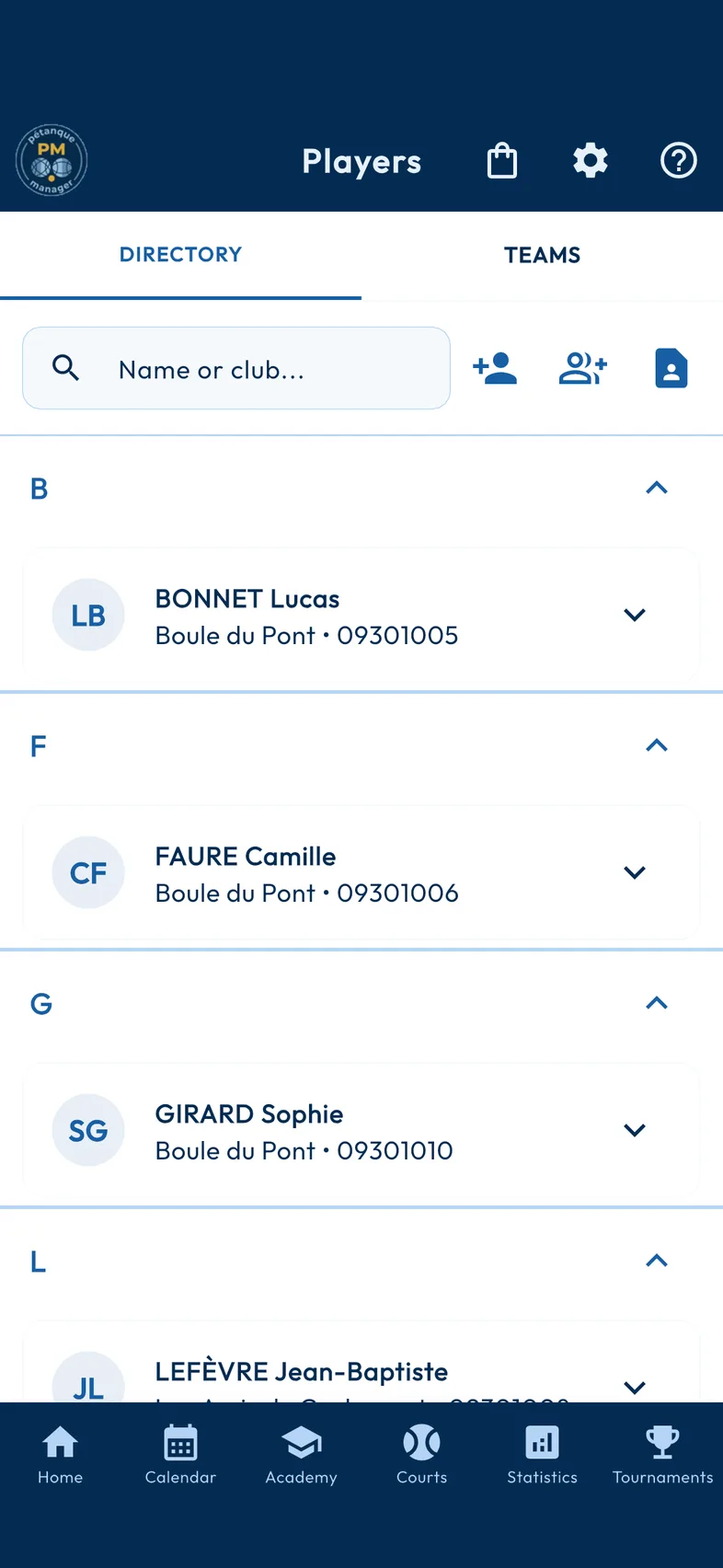
More than 13,000 pétanque videos since 2014, gathered in a single catalogue, updated as new ones are published.
-
Live now
When a competition is being streamed live, a banner announces it at the top of the video library.
-
YouTube, Facebook and Dailymotion player
Watch the videos without leaving the app, whichever platform hosts them.


See the 4 other features
-
Filters by theme, period, platform and text
Find a video by theme, period, platform or keyword, combining the filters.
-
Pétanque or jeu provençal
Filter the catalogue by discipline: pétanque, jeu provençal, or both.
-
Categories and sub-categories
Videos are sorted into categories and sub-categories, with a filter by year to go back in time.
-
Suggest a category
A video in the wrong place or with the wrong date? Suggest its category or the year of the event from the player: the suggestion is reviewed before being applied.
25 features
Club life
Players, teams, listings and news: everything that happens between two tournaments.
-
Listings
Equipment, players, services, events: a listing published in a few seconds, and a feed filtered by family and by department.
-
Teams and partners
Build your doubles and triples teams, and keep a record for each partner, contact details and equipment included.
-
News feed
A carousel of recent news on the home screen, to keep up with club life and pétanque without leaving the app.


See the 22 other features
-
Pétanque Pass as a QR code
Generate a QR code for every player and every team to speed up tournament registrations.
-
Template messages to the team
Running late, logistics, court number: send a template message to your teammates by SMS or WhatsApp in one tap.
-
Import phone contacts
Turn your phone contacts into player records in a few seconds.
-
Duplicate player detection
When you enter a player, the app spots possible duplicates — same licence, same name or a very similar one — and offers to merge the records.
-
Detailed listing page
Every listing opens onto a full page: photos, price, specifications and the author's contact details, with nothing left out.
-
My listings and moderation tracking
Find all your listings in one place and follow their status: awaiting moderation, online or withdrawn.
-
Fields suited to each listing family
Equipment, player, service or event: the form asks only for what matters for the chosen family.
-
Listing photos
Add photos from your phone: they are compressed before upload so they go through quickly, even on a weak signal.
-
Automatic listing expiry
Every listing has a lifespan: once the deadline has passed, it leaves the feed by itself. No stale listings hanging around.
-
Player records and directory
All your players in one directory, each with their own record: photo, licence, club and contact details.
-
Nearby transfer
Pass a tournament, teams or player records to a nearby phone, with no network: a six-digit code, a preview, and nothing is written without your consent.
-
Encrypted exchanges
Your exchanges with the server go through an encrypted HTTPS connection, and your contact details are visible only on your listing: contact a listing's author with peace of mind.
-
Contacting the author
Contact a listing's author directly by phone, with no form or mailbox in between.
-
Posting a listing in five steps
A guided five-step process to publish a complete listing, without ever wondering which field to fill in first.
-
Edit your listing without an account
Edit or withdraw your listing without creating an account: a token kept on the device proves you are its author, and can be recovered by email if needed.
-
Reporting and moderation
A report button on every listing, with moderation to follow it up: the listings stay clean.
-
Pre-filled contact details
When you post a listing, your contact details are taken from your player record — and you can update the record in return.
-
Club ranking
The club ranking, available in the app as well as on the web via QR code, to follow the season without installing anything.
-
Unlocking with a club code
A code supplied by the club is all it takes to unlock the whole app, with no individual account to create and no bank card to enter.
-
Import of the FFPJP licensee file
Import in one go the file of your club's licensees supplied by the FFPJP: the whole squad enters the app with no manual entry.
-
Full-screen news reading
Read each news item in full screen, swiping from one to the next, with direct access to the full article.
-
Cards for social networks
A tournament announcement, the standings after a round, a final, a podium, a tournament in numbers, the club ranking and its season review, a game, a session, a player's record or season, a milestone reached or a measurement: an image in the app's colours, square, portrait or story, with its caption ready to paste. It is made on your phone and goes to the app you choose.
12 features
The app
A home screen that sums up your season, themes to suit your taste and a complete backup.
-
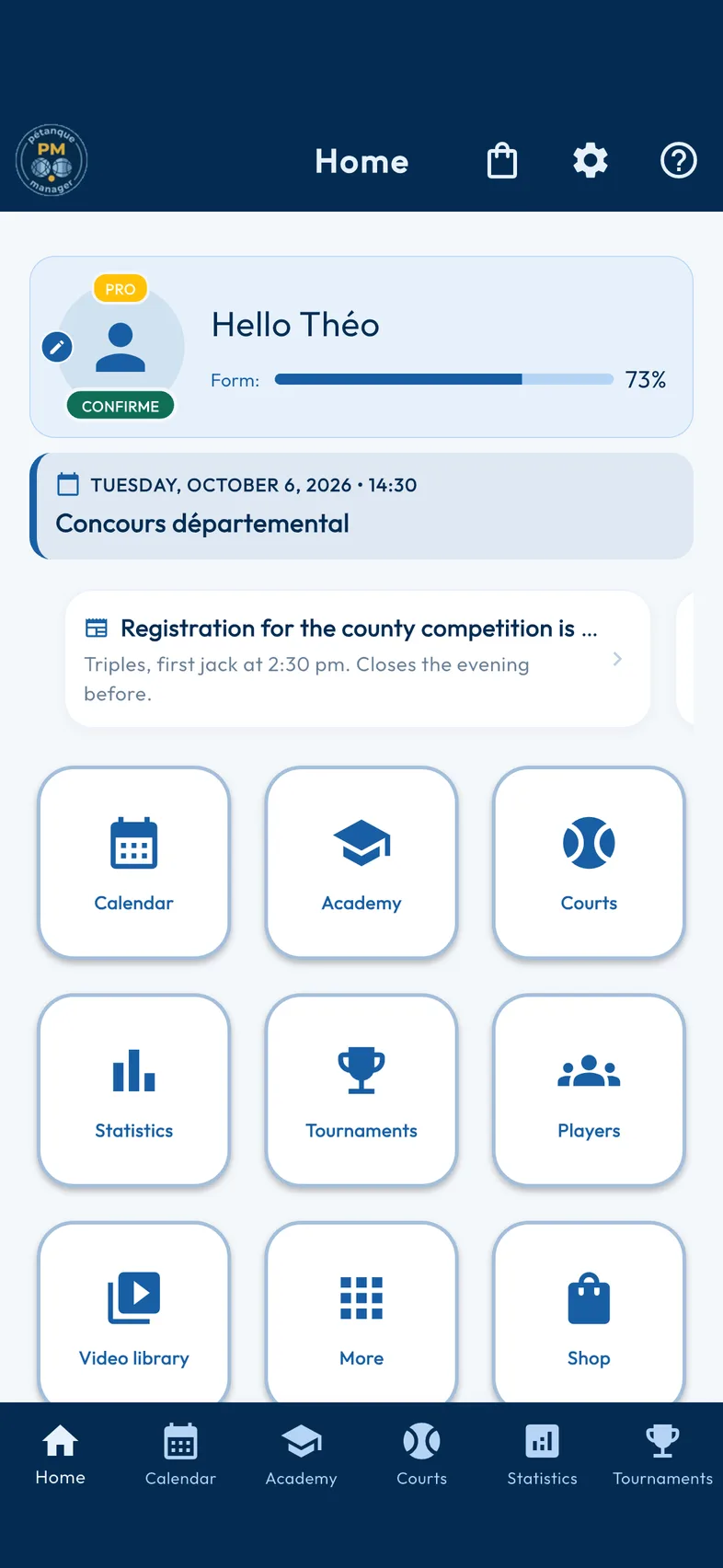
Home dashboard
Your season on one screen: a form indicator calculated from your statistics, the next event in the calendar and direct access to the modules.
-
Themes and personalisation
Tailor the interface to your taste: more than fifteen visual themes and ergonomic options such as left-handed mode.
-
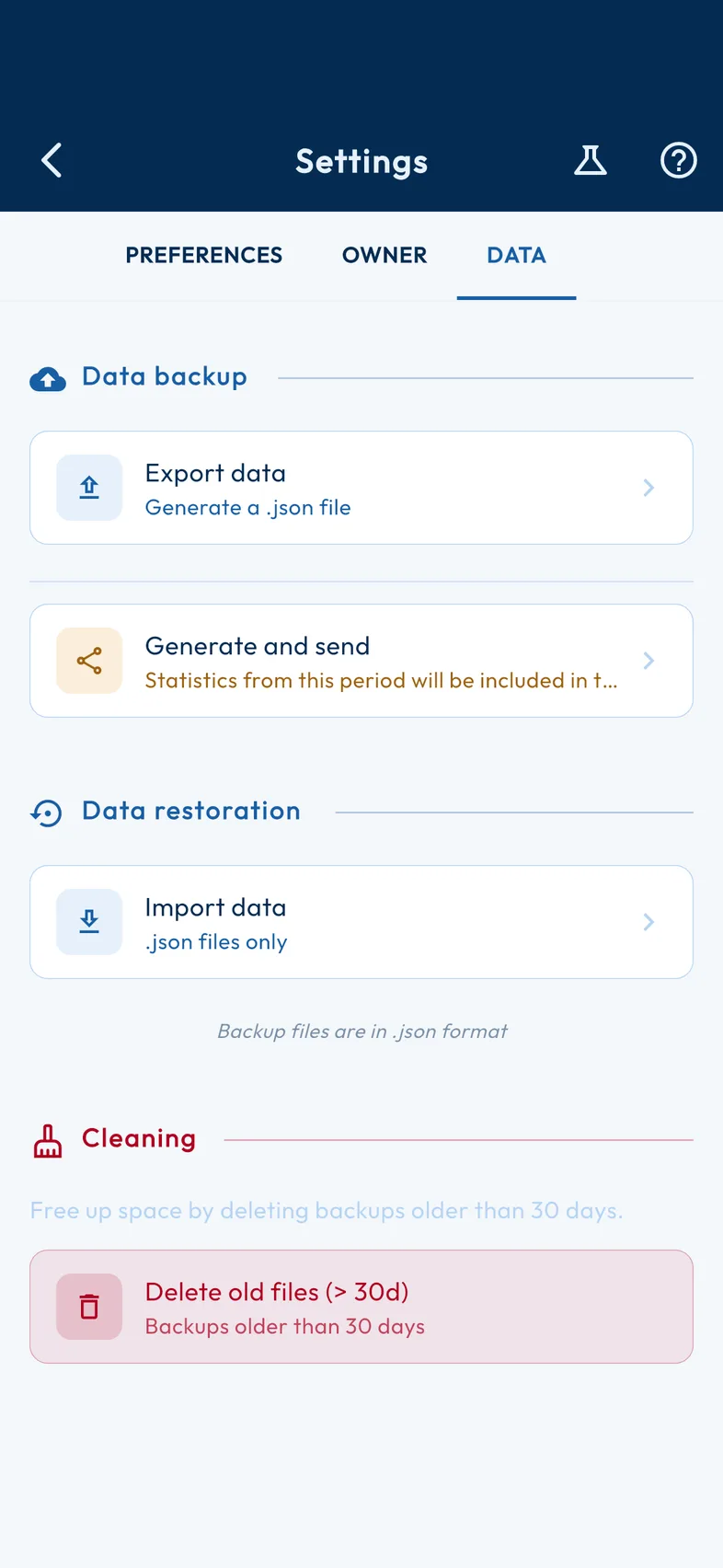
Backup and restore
Back up all your data to a file and restore it on another device: on import, the app resolves conflicts between players before writing anything.
See the 9 other features
-
Guided setup
A guided walkthrough from the very first launch: language, preferences and department, then your profile found from your name in the licensee database.
-
Navigating between modules
Swipe between the six pillars of the app: Terrain, Calendar, Academy, Statistics, Tournaments and Management.
-
Owner profile
Say which player you are: the home screen and the overall statistics then appear under your name.
-
Exercise catalogue
A library of BF1 exercises, updated regularly, to vary your training.
-
Shop and modules
Unlock extra modules — Lite, Premium, Pro — from the built-in shop, and see at a glance which plan you have.
-
Three plans: Lite, Premium and Pro
Every module clearly shows the plan that unlocks it. You know what you have, and what the next plan brings.
-
A home screen suited to your plan
The home screen shows the modules in your plan — Lite, Premium or Pro — and flags those the next one would unlock.
-
App in five languages
The app is available in French, English, Spanish, German and Italian.
-
The question mark, help on every screen
From the first launch, a step shows you the [?] at the top of every screen and invites you to try it: the app's help is discovered in one tap, before you have entered anything.
No feature matches your search.